The proposal builder is immensely powerful. It's also quite complex. Here are some tips on how to make best use of it.
- Most of PVsell charts and infographics work well for any situation, but some are specific to (for example) battery projects. As such we recommend you have separate proposals for each of the following situations:
- Commercial Grid Cash
- Commercial Grid Finance
- Residential Grid Cash
- Residential Grid Finance
- Residential Battery Cash
- Residential Battery Finance
- Commercial Battery Cash
- Commercial Battery Finance
The PVsell default proposal automatically adjusts to each of these 8 scenarios.
- Your residential proposal should be shorter than your commercial proposal
- You might also have an 'initial response' proposal that is separate to your 'detailed response' proposal. Also consider a Tyre-kicker response kit
- Because much of the content of the above will be in common (e.g. 'About us', 'Testimonials'), you've got two options:
- Have each proposal entirely contained within one folder. This will make it quicker to produce proposals, but will require more maintenance. For example, if you wish to make a change to a common page, you either have to do so eight times, or save that page to each of the other proposals and delete the page you're replacing (updating)
- Have a separate folder for the pages that are common, and another folder for each of the proposals specific to the situation (resi/commercial; grid/battery; finance/cash). It will take longer to creating a customer proposal as you'll have to load pages from multiple folders, but you will have a central point of maintenance
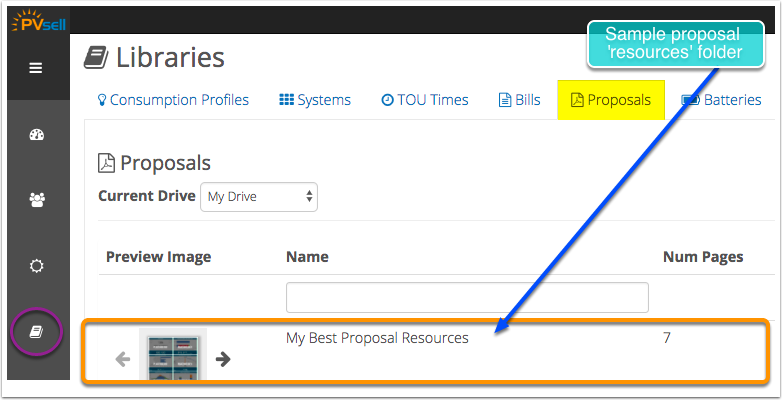
In addition to the content that typically goes into a customer proposal, you may have a range of material that you want to insert on a customer-specific basis. Store this information in its own 'proposal' folder in the Library, and load individual pages from into the customer proposal you're working on.
PVsell makes use of merge codes in its proposals to act as placeholders for values from specific projects. However, because the merge code label is longer than the value it's 'placeholding', it can be useful to see the formatting/layout with actual values in place. Therefore it's easiest to develop a customer proposal template in an actual project, where you'll get a preview of the actual values.
When you're done playing with your proposal, save it to your Company Drive to share with your colleagues.

It's good practice to keep the amount of lengthy text to a minimum within a proposal. It's much better to say it with images, where-ever you can. This makes proposals much more likely to be read, and infinitely more likely to sink in.
Of course, for the right customers (those most likely to buy), it's worth going the extra mile with a personalised touch. This could take the form of a cover letter where you detail what specifically you'll be doing for the customer 'above the ordinary' and what the next steps are. If you're going to take this approach, then save a formatted template page in your company drive to drag into only the projects that need it.
0 Comments