An accurate solar ROI needs hour-by-hour consideration of energy flows. Even an hour of consumption makes a difference. Not to mention half of a day - each week. Any consumption profile adjustments in AM/PM steps can be done just via one click.
1. Choose your desired consumption profile from the library
Any consumption profile from our library can get used and adjusted in that way. If you've created your own profile this can be done as well - however you can not adjust a meter data file you've uploaded in that way.
2. Select your customers operating days per week
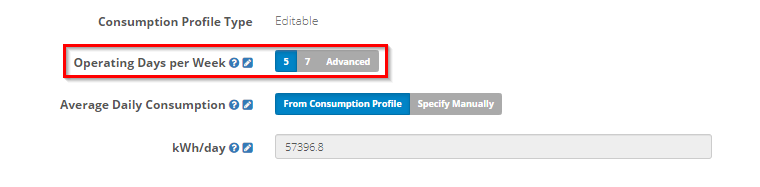
Operating 5 days/week
This assumes weekday operation only. Weekday operation using "trading days data" from your consumption profile. Weekend operation will use "non-trading days data".
Operating 7 days/week
This assumes a 7 day operation of the business only using "trading days data" from your consumption profile. "Non trading day data" will simply get ignored.
Operating differently - create your custom operating days
Any operating days beyond 5 & 7 business trading days can get simply adjusted by hitting "Advanced".
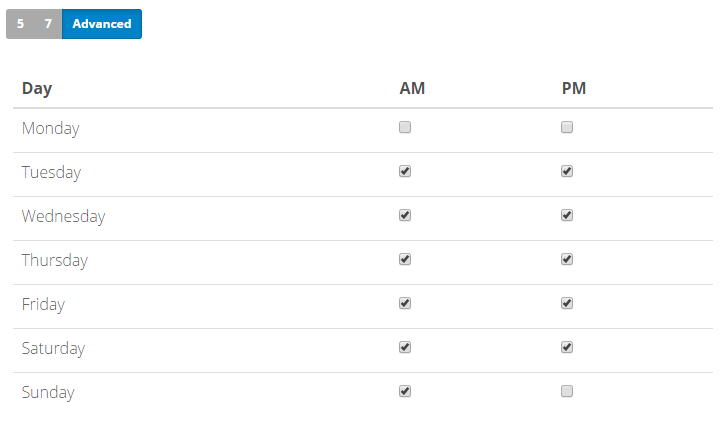
Select each day individually and check/uncheck the boxes for trading/non-trading halves of each day respectively (the AM and PM periods of the day). While a box is ticket - it will assume the business is operating during this period and use "trading days" data. When you untick the box - it will use "non-trading days" data.
For instance, in case of five-and-a-half days per week there will be 11 checked and 3 unchecked boxes (below you can see an example of consumption profile with a non-trading Monday and half-day trading Sunday settings).
4. Done! Push the data to your OpenSolar project
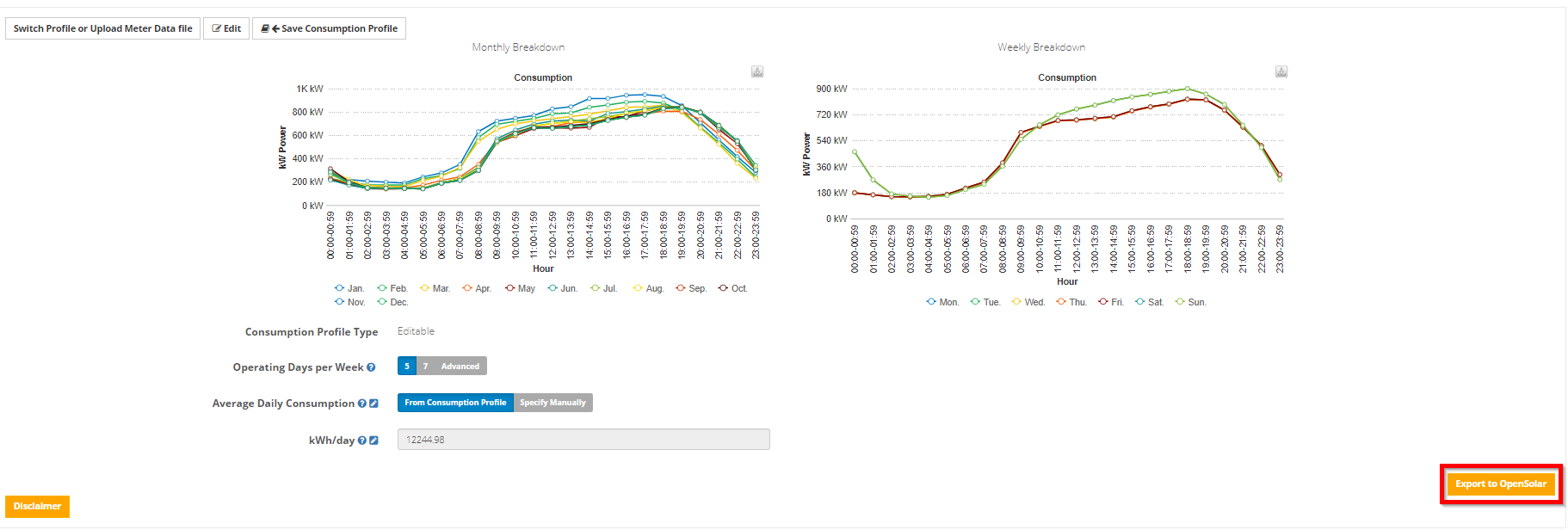
Just press the Export to OpenSolar button on the bottom right
0 Comments