If you have your customer's interval metering data, you can upload the metering data. This provides the most accurate assessment possible. For meter data - scaling is usually not required.
If you don't have real life data, you may want to specify the average daily consumption to scale the data in order to match your customer's daily average use. We provide you with consumption profiles from many industries and households. So you can re-use consumption profiles from a similar customer, rather than waiting weeks for metering data or needing to create a completely new profile from scratch.
What does scaling mean?
Scaling of a pre-existing consumption profile simply means - we can quickly match the consumption of any profile with your customers consumption by entering your customers average daily consumption. This average daily consumption is the average daily consumption of the whole year.
When to scale a consumption profile?
If you are using an existing consumption profile from our library - the shape (consumption pattern through the day) might reflect your customers consumption sufficiently - however the "y-axis" which typically reflects the consumption in kW for every hour of the day typically doesn't match.
Even if you create your own consumption profile from scratch - you don't have to worry about the hourly consumption data points - much more important is to reflect your customers consumption patterns as close as possible.
Therefore - we always recommend to enter your customer average daily consumption for any consumption profile.
How to scale a consumption profile?
Here you will learn how to scale the consumption profiles you can access in Sunwiz meter data tool.
1. Choose and open a consumption profile
2. In the Average Daily Consumption options field, select the source of the consumption
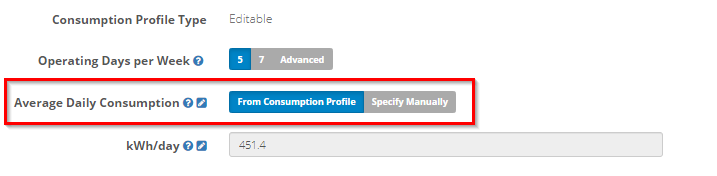
2.1. From Consumption Profile
Click From Consumption Profile, and the average consumption per day will be calculated automatically based on the original source of the data.
If a meter data file is the source of the consumption profile - the average daily consumption will get calculated based on the data points from this file - typically that reflects already your customers average daily consumption accurately.
If the source of data is a consumption profile from our library - the average daily consumption will reflect the sample data from the library profile - if this is the case you most likely want to swap over and specify manually.
2.2 Specify Manually
Enter your customer's average daily consumption manually - you usually get this information from your customers bill. This should be entered in kWh per day.
For example, if your customer uses an average of 50 kWh/day then you may wish to enter '50' here.
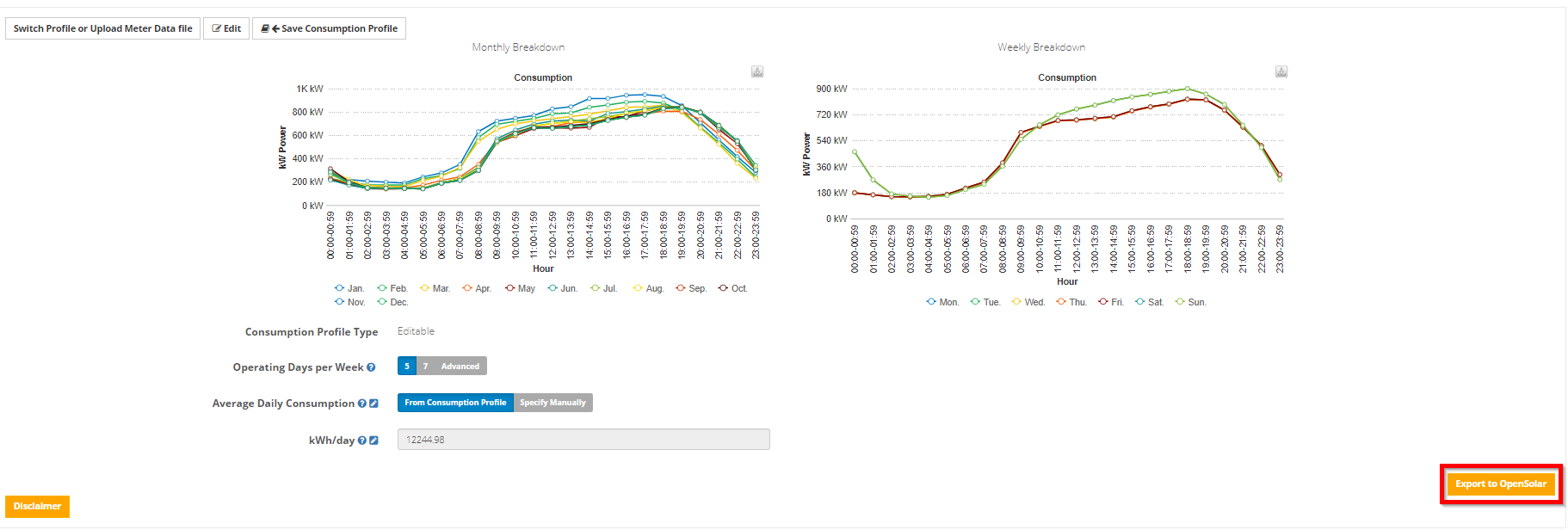
3. Done! Push the data to your OpenSolar project
Just press the Export to OpenSolar button on the bottom right
0 Comments