As you might have noticed - Sunwiz Meter data Tool" can do much more than simply converting your meter data into an from OpenSolar accepted format. Of course, our tool allows you to upload meter data, which shows the most precise customer's information.
But often there are no comprehensive data at your disposal at the moment. Therefore you can create your own consumption profile, choose any consumption profile from our library & edit consumption profiles in any way you need!
Thus, there are two types of consumption profiles in Sunwiz meter data tool:
- meter data and
- editable (trading/non-trading data).
You might have been wondering why there's an indicator "Consumption profile type" after selecting a consumption profile from our library OR uploading a meter data file for an conversion?
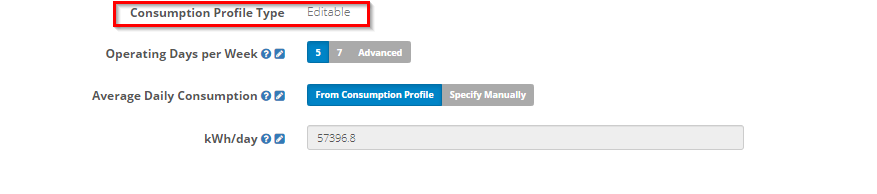
The reason is simple - our tool works with 2 different types of consumption profiles. When you edit an existing consumption profile - you'll be able to swap between these 2 types of profiles.
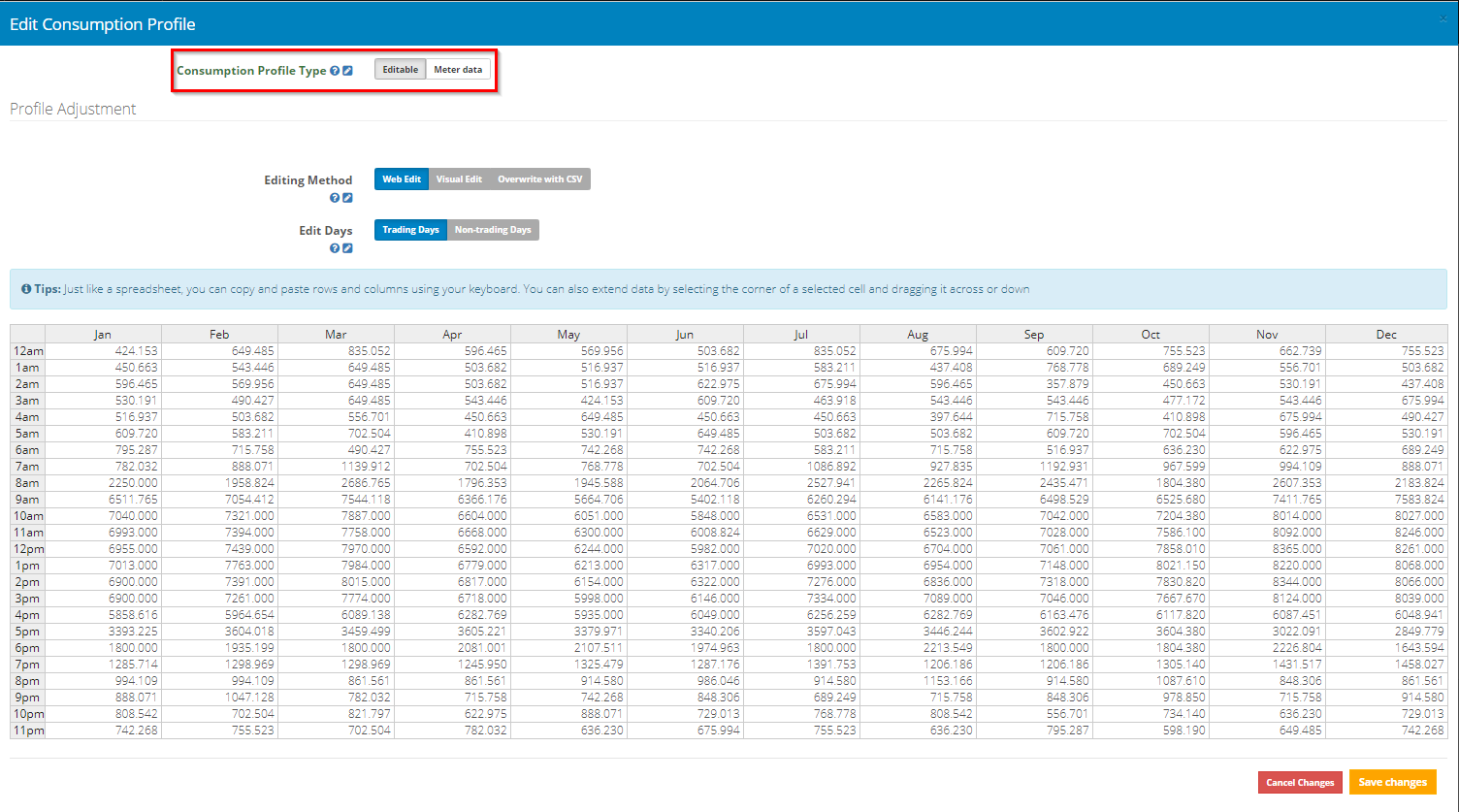
Meter Data Consumption Profiles
Metering data is great for when you have interval metering data for a particular customer for an entire year - our tool then converts the uploaded format into 8760 comma separated values. And only that. If you can access meter data there's no need to to adjust your customer consumption further - you already got the most accurate data you can possibly have.
It converts the uploaded format (typically 30 min intervals) into hourly interval steps allowing OpenSolar to perform the most accurate financial analysis for your customers solar system. For every hour of the year the tool is comparing the potential solar production against your customer real energy consumption. The savings calculation could not be more accurate.
Ways to manipulate your meter data within our tool
1. Scale your consumption
If you are aware your customer expands his business - and therefore increases his energy consumption - you can still scale the consumption from your customers meter data without loosing the accuracy of the data.
2. Convert meter data into editable consumption data
In case your customer changed consumption patterns forcing you to adjust their meter data to run an accurate analysis - you have to delete at least 1 full month worth of data before uploading your meter data into our tool - forcing it to allow "extrapolation" of the missing data. This converts the 11 month worth of meter data into an editable consumption profile.
Unfortunately the analysis won't be as accurate as a proper meter data analysis anymore - editable data doesn't incorporate day specific consumption - for editing purposes we only allow to create one average day performance for each month.
Editable Consumption Profiles (Trading/Non-Trading Days)
Editable Consumption Profiles are really helpful, if your customer doesn't have interval metering data, or if you wish to avoid the customer growing old while they wait for their network operator to provide metering data.
We provide you with an impressive collection of consumption profiles from many industries and households - all of this profiles in our library are truly editable - allowing you to create a matching profile for your customer.
The analysis using an editable consumption profile won't be as accurate as a meter data analysis - editable data doesn't incorporate day specific consumption - for editing purposes we only allow to create one average day performance for each month.
0 Comments